















Bet9ja remains a top sports betting platform in Nigeria. As a matter of fact, the online website is among the most visited in the country. Daily, Nigerian bettors visit www.bet9ja.com to book and place bets.
To successfully wager on the website, you need Bet9ja login details. Getting it is straightforward since you simply need to open an account. However, some people experience difficulties on the login Bet9ja page. So, here, we’ll go over how the process works and how to handle it seamlessly.
How to Login to Your Bet9ja Account
Accessing your Bet9ja account shouldn’t be hard work. On the contrary, it only involves a few steps. You can check them out below:
Visit The Bet9ja Official Site
The first step to logging into your Bet9ja account is to visit the official website. As hinted earlier, it’s www.bet9ja.com. Once you load the URL in your browser, the site will redirect to the best page for your device. Hence, you may get to sports.bet9ja.com or web.bet9ja.com.
Click On The Login Button
On the Bet9ja homepage, you’ll find the login button at the top right corner:

Simply click on it, and you’ll access the Bet9ja login drop-down widget:
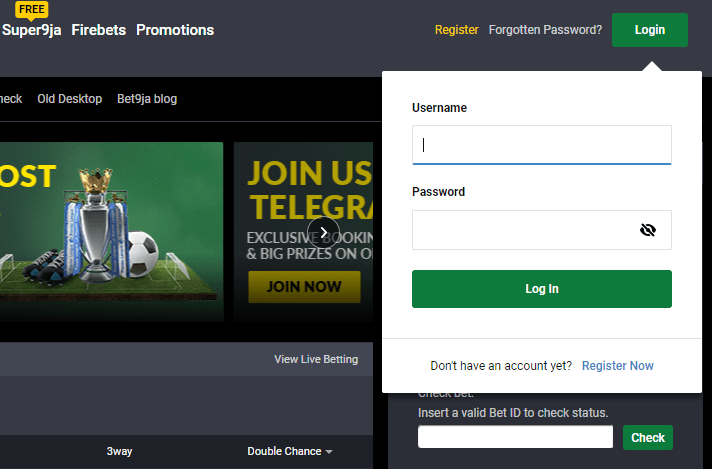
For Bet9ja old mobile login, the interface won’t be the same as the above screenshot. However, the process doesn’t vary, as you still only need to click the login option.
Fill In The Required Details In the Login Form
The third step is to enter your details in the provided fields:
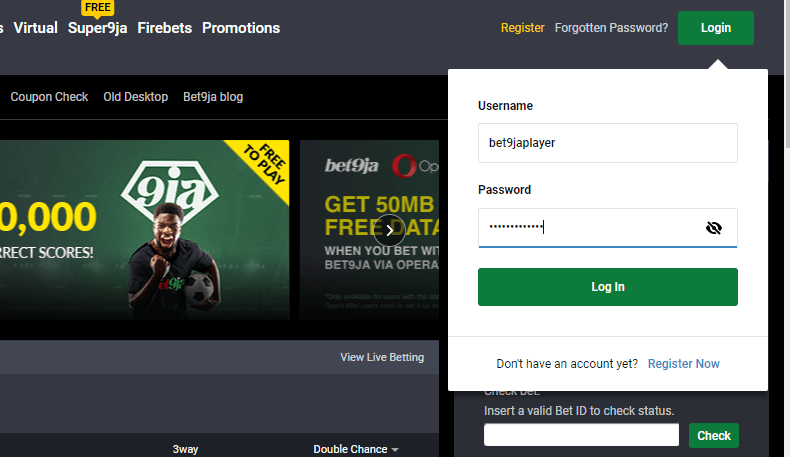
Basically, you’re entering your username and password. It’s important you enter correct details, or the registration won’t be successful.
As the screenshot shows, the username stays visible, but the password is hidden. That’s for security reasons. If you want to verify you entered the right password, click the eye icon on the field. This is what you’ll get:
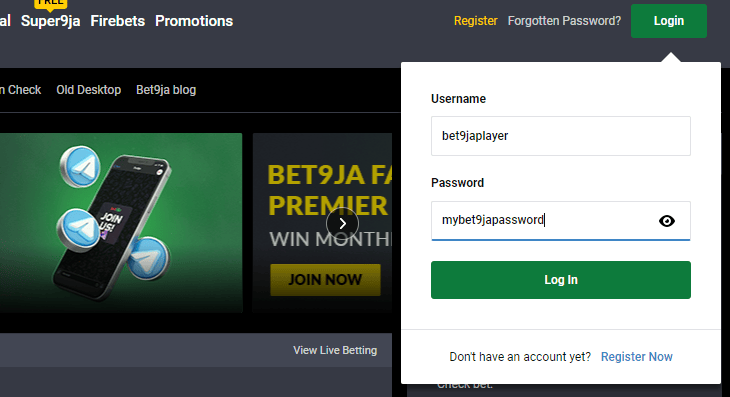
Now, you can view your username and Bet9ja password. If both details are correct, proceed to the next step.
Finish The Log In
Here, all you have to do is click the Log In button in the Bet9ja login window. Afterward, wait for the site to load to your dashboard. That’ll only take seconds, and once done, you've completed the bet9ja login process.
How to Login to the Bet9ja Mobile App?
If you prefer using Bet9ja on mobile app on Android or iOS, the sportsbook still makes logging in seamless. First, you must ensure you have the verified version, which you can access from the official website or Google Play Store.
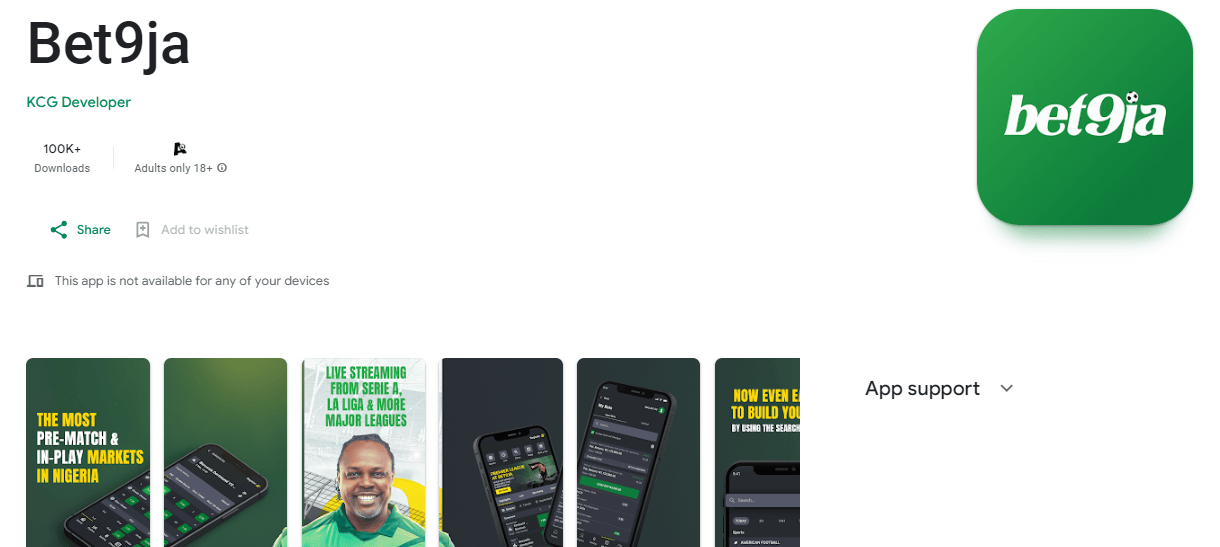
Perhaps you have the Bookmaker app already installed on your mobile device; if that’s the case, ensure it’s a recent version. Once you confirm you meet the above requirements, here’s a step-by-step guide on Bet9ja app login:
- Launch the bet9ja app on your smartphone
- Click the login option at the top right. You’ll also find it at the bottom left, as shown in the below screenshot.
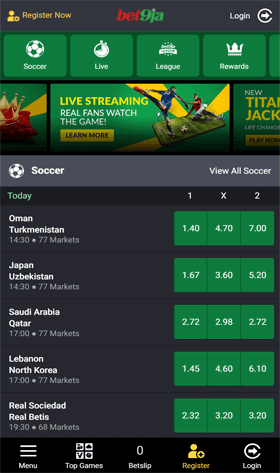
- Enter your Bet9ja username and password
- Click the login button
As uyou log in to Bet9ja, you’ll see your profile icon, and you can start accessing the betting markets and odds.
How to Access Bet9ja on Desktop?
If you want to login on Bet9ja on desktop, the process is a lot simpler. You don’t need a mobile app. So long as you have a computer or laptop, you can directly access your Bet9ja account on the website. Follow the step by step instructions below:
- Boot your desktop computer, and visit the official bet9ja website — www.bet9ja.com. The site will likely redirect to sports.bet9ja.com
- Click the Login button at the top right.
- Enter the required username and password in the provided fields.
- Click Log In at the end
As said earlier, the process is relatively simple. You should be done in under a minute. However, some Nigerian players may encounter issues signing into their Bet9ja account. That can be frustrating, as it means you can't place a bet.
If the issue persists, you could miss out on some favourable bets and winnings. Also, if you deposit money into your account, you could lose your funds. Thankfully, there are helpful solutions to these issues. We’ll discuss them in the next section.
Bet9ja Login Error Issues
If you’re having login Bet9ja issues, the table below features comprehensive yet simple solutions you can try:
|
Problem |
Description |
Solution |
|
Unrecognized details |
When you enter your username and password and press login, the bet9ja site displays a “Your details weren’t recognized” message. That simply means the bookmaker’s servers don’t recognize your login details. |
The easy way to solve this problem is to recheck your details. Here’s what to do:
If everything is correct to you, it means you don’t have a registered account with that details. So, you can consider a sign-up. |
|
Incorrect password |
This problem is quite common. You’ll still get the your details weren’t recognized notice. However, your username is correct this time, while your password isn’t. |
Here’s how you can solve the incorrect Bet9ja password problem:
Generally, the incorrect password issue isn’t complicated to resolve. |
|
Restricted Access |
The issue here is that you cannot access the bet9ja website. Different jurisdictions regulate betting platforms, so they can’t work in every region. Hence, if you try to use the Bet9ja website from an unsupported location, you’ll get a restricted access warning. |
Punters in Nigeria can access Bet9ja without restrictions. If you can’t, it means you’re outside the territory or using a VPN. For the former, you can simply use a VPN and select Nigeria as your location. But if you’re using a VPN within Nigeria, simply turn it off. |
|
CAPTCHA Issue |
Bet9ja offers protection to users by ensuring there are no scams or hacks on the platform. So, if any login attempt appears suspicious, the bookmaker will demand the player complete a CAPTCHA. |
CAPTCHA is relatively simple to complete. Simply tick the box to confirm you’re not a robot and complete the displayed task. Once you pass the check, you can log in to your Bet9ja account. |
|
Site maintenance |
This problem isn’t common since Bet9ja always ensures its sites are up and running. However, sometimes, when the servers need updates, you’ll get a maintenance notice when you visit the site. |
Here, simply wait for the operator to complete its maintenance. It should not take long – a few hours at the maximum. |
|
Restricted account |
Bet9ja is a betting site with strict terms and conditions. Hence, if players go against their conditions, the sportsbook provider has the right to restrict their accounts. |
If you can’t complete your Bet9ja login because the bookmaker restricted your account, it likely means you didn’t comply to their terms and conditions. So, reach out to the customer service team and find out what you have to do to regain access. |